
Speak to us now:
1300 728 875


You've outgrown your spreadsheets, your accountant keeps mentioning "cloud accounting software", and you know it's time to make the move. But when you start researching accounting software for your small business, you're immediately faced with three dominant names: Xero, MYOB, and QuickBooks Online.
This isn't a small decision. The right accounting software becomes the financial backbone of your business, handling everything from invoicing to tax compliance. Choose poorly, and you're looking at migration headaches, compliance issues, and wasted money. Choose well, and you've got a system that grows with you, keeps the ATO happy, and actually makes managing finances simpler.
We work with Australian businesses across all three platforms, and after years of seeing what works (and what doesn't), we know which software suits a one-person operation versus a growing team, which one handles complex payroll without the headaches, and where each platform truly shines or struggles.
This guide cuts through the marketing noise to help you make an informed choice based on your actual business needs.
First, let's look at how these three cloud accounting platforms stack up for Australian businesses:
| Feature | Xero | MYOB Business | QuickBooks Online |
|---|---|---|---|
| Starting price | $35/month | $34/month | $33/month* |
| Best for | Growing small businesses, service businesses | Sole traders, established businesses with complex needs | Micro businesses, budget-conscious startups |
| Key strength | User-friendly interface, unlimited users on all plans | Strong Australian tax compliance, advanced payroll and reporting | Affordable entry point, simple setup |
| Inventory management | Solid native inventory; advanced multi-location via integrations | Advanced inventory (assemblies, batch & serial tracking) | Basic inventory only (Plus plan and above) |
| Learning curve | Low - intuitive for non-accountants | Medium - accounting knowledge helpful | Low - simplified interface |
| Payroll | Included in all plans from June 2025 | $2/month per employee (Lite/Pro); included in Plus/Premier | Separate add-on ($6/employee/month + $10/month for Advanced) |
| Australian support | Yes - local support team | Yes - established Australian presence | Yes - Australian support available |
*Promotional pricing is often available
Pricing shown is indicative as of 2026 and subject to change based on plan limits, promotions, and payroll employee numbers.
The reality is, there's no universally "best" option. Your choice depends on your business structure, industry, growth plans, and how you actually work day-to-day.
From June 2025, payroll and automated superannuation are included in all Xero business plans at no additional cost. Employee limits vary by plan tier.
MYOB announced pricing changes effective March 1, 2026. Check current rates on the MYOB website.
QuickBooks frequently offers promotional pricing (currently 50% off for several months as of early 2026). Standard pricing shown. Verify current promotional offers on the QuickBooks Australia website.
For a typical small business with 5 employees needing payroll:
From June 2025, Xero includes payroll in all business plans, fundamentally changing the cost comparison. Xero Grow now offers straightforward pricing for small teams, with payroll included for up to 5 employees at $75/month total.
Many Australian businesses find the sweet spot in the $70-100/month range once you add essential features.
For a detailed breakdown of total ownership costs across different business sizes, see our complete cloud accounting software cost comparison.
| Feature | Xero | MYOB | QuickBooks |
|---|---|---|---|
| Invoicing | Unlimited templates, excellent mobile app | Strong job costing, approval workflows | Simple interface, reliable recurring billing |
| Bank Feeds | Excellent Australian coverage, intelligent matching | Powerful rules, robust multi-currency | Good connections, slightly slower sync |
| Reporting | 50+ reports, real-time dashboards | Comprehensive, sophisticated budgeting | Visual dashboards, basic reporting |
| Inventory | Robust - multi-location tracking | Advanced - batch/serial number tracking | Basic tracking (Plus plan+) |
All three platforms handle professional invoices, but the details matter for your daily workflow.
Xero lets you create unlimited invoice templates with strong customisation. The mobile app makes invoicing from job sites straightforward, and automated payment reminders actually help you get paid faster. Integration with Australian payment gateways like Stripe and Square is seamless.
MYOB offers solid invoicing with good quote-to-invoice workflows. If you're in construction or trades, MYOB's job costing integration with invoices is particularly strong. The invoice approval workflows suit businesses with multiple users who need oversight.
QuickBooks simplified invoicing works well for service-based businesses. The recurring invoice automation is reliable, and the customer payment portal makes it easy for clients to pay. However, customisation options are more limited than those of Xero and MYOB.
Accurate bank feeds save hours of manual data entry, and this is genuinely where the differences show up.
Xero has excellent bank feed coverage across Australian banks, including CommBank, NAB, Westpac, ANZ, and most regional banks, and connections are reliable. The automatic matching is genuinely intelligent, learning from your categorisation patterns. Bank reconciliation typically takes minutes, not hours. The GST tracking feels most intuitive for people without an accounting background.
MYOB also offers strong bank feeds with Australian financial institutions. The bank rule creation is powerful, letting you automate complex transaction categorisation. If you're dealing with multi-currency transactions, MYOB handles this robustly.
QuickBooks provides good bank feed connections with Australian banks. The reconciliation interface is clean and works well for straightforward business finances.
For most small businesses, Xero's reporting strikes the sweet spot between detail and usability, offering over 50 standard reports covering everything from profit and loss to aged receivables, along with real-time financial insights that don't overwhelm you.
In terms of inventory, the platforms diverge significantly. Xero offers solid native inventory management, with advanced multi-location tracking available via integrations.
MYOB provides comprehensive reporting that accountants love, with sophisticated budgeting tools that go beyond what Xero or QuickBooks offer. In relation to inventory, MYOB provides advanced inventory management with sophisticated stock control for assemblies, batch tracking, and serial numbers.
QuickBooks delivers solid basic reporting with genuinely helpful visual dashboards, though advanced reporting requires the Premium plan. It also includes basic inventory tracking in the Plus plan and above, which works for simple product-based businesses but lacks depth for serious retail operations.
For service businesses, inventory management isn't a dealbreaker. For product-based businesses, this feature alone might determine your choice.
Getting ATO compliance wrong costs you money and sleep. All three platforms handle Australian tax laws, but each takes a different approach.
| Compliance Feature | Xero | MYOB | QuickBooks |
|---|---|---|---|
| BAS/GST | Straightforward preparation, accurate tracking, widely used by accountants | Deep Australian roots, comprehensive tools, seamless AccountRight integration | Adequate for straightforward businesses, covers essentials |
| Payroll | Included in all plans from June 2025, basic payroll, manual award setup | $2/month per employee (Lite/Pro) or included (Plus/Premier), handles complex payroll, strong Fair Work compliance | Separate add-on ($6/employee + $10/month), powered by Employment Hero, basic payroll |
| STP Phase 2 | Compliant | Compliant | Compliant |
| Best for | Standard payroll with accountant support | Complex awards, hospitality/retail | Simple salary arrangements, sole traders |
Xero makes preparing the Business Activity Statement straightforward. The GST tracking is accurate, and exporting BAS data for your accountant or lodging through Xero Tax is simple. Most Australian accountants are comfortable working in Xero, which matters when you need help at tax time.
MYOB has deep roots in Australian accounting. The BAS preparation tools are comprehensive, and integration with MYOB AccountRight (for accountants) is seamless. If your accountant uses MYOB software, this creates a smooth workflow that can save time and reduce back-and-forth.
QuickBooks handles GST and BAS well enough for sole traders and businesses with basic transactions. The ATO compliance tools cover the essentials, though some accountants find the reporting less detailed than they'd prefer.
All three platforms are STP Phase 2 compliant, but payroll handling differs significantly.
Xero Payroll is now included in all business plans from June 2025, with employee limits based on your plan tier. Ignite supports 1 employee, Grow supports up to 5, Comprehensive supports up to 10, and Ultimate plans for larger teams.
Award interpretation isn't automatic, so you'll need to set up pay templates correctly. Superannuation reporting works smoothly with clearing houses. For complex payrolls involving penalty rates or multiple awards, you might need guidance on setting them up properly.
MYOB Payroll handles more complex payroll scenarios out of the box. If you're in hospitality or retail with complicated award requirements, MYOB's payroll processing is more sophisticated. The Fair Work Act compliance tools are strong, which matters when you're managing casual staff or penalty rate calculations.
QuickBooks Payroll is provided through Employment Hero as a separate add-on. You're charged $6 per month for each active employee who has been paid at least once in the billing month, plus an additional $10 per month for Advanced Payroll features. It covers basic payroll needs but can feel limited for complex situations.
For sole traders or businesses with straightforward salary arrangements, it works fine. Complex payroll requirements might push you toward MYOB or specialised payroll software.
For businesses with employees, verify that your chosen platform genuinely handles your payroll needs. Payroll mistakes are expensive and stressful, so it's worth getting this decision right from the start.
Features matter, but you'll use this software almost daily, so how it feels matters just as much.
Xero wins on user-friendliness. The interface is clean, logical, and intuitive, even if you've never used accounting software before. Navigation makes sense, the mobile app genuinely works well, and most people feel comfortable within a few days. This is partly why so many Australian businesses choose Xero.
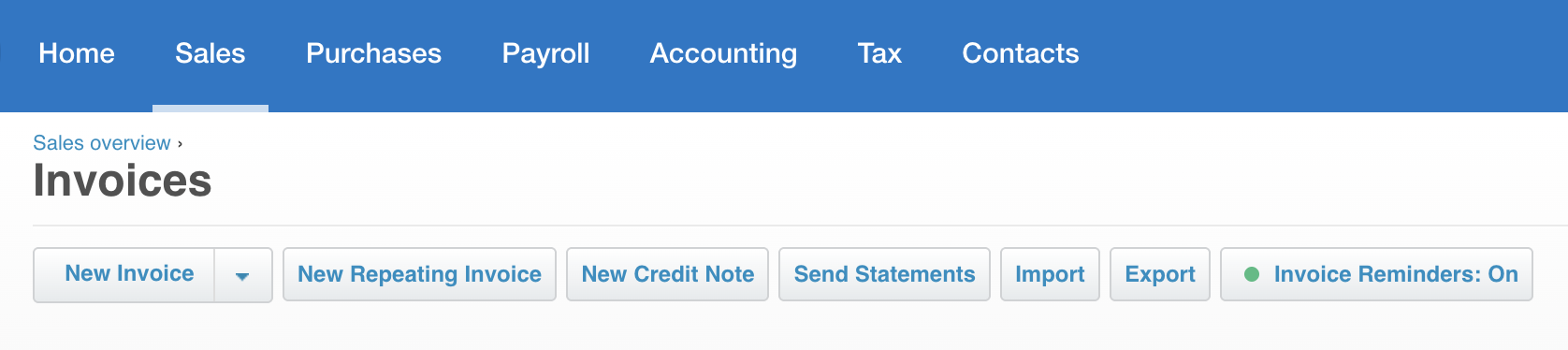
MYOB requires more time to learn because its interface assumes more accounting knowledge. For people comfortable with desktop accounting software, MYOB feels familiar. For business owners without an accounting background, expect a steeper learning curve.
QuickBooks simplified everything, which is both a strength and a limitation. Getting started is easy, and the dashboard clearly shows what you need to know. Power users sometimes find it oversimplified and miss advanced features available in Xero or MYOB.
Expect 2-4 weeks to properly implement any accounting software, not the "30 minutes" marketing suggests.
Critical setup decisions include:
Getting these right from the start saves headaches later. Many businesses find professional help during setup worthwhile, particularly when migrating from desktop software or competitor platforms.
Xero setup is relatively straightforward. The guided setup covers the essentials, though you'll want to properly customise your chart of accounts. Historical data import works reasonably well.
MYOB setup is more involved but offers more control. If you're migrating from MYOB AccountRight (desktop software), the transition is smoother than switching to a different platform.
QuickBooks setup is quickest for basic businesses. However, if you have complex needs, you might quickly run into limitations and need to reconfigure.
Modern businesses use multiple software platforms. Your accounting software needs to play nicely with everything else.
| Integration Type | Xero | MYOB | QuickBooks |
|---|---|---|---|
| Total integrations | 1,000+ apps | Solid coverage, fewer options | Good coverage, growing |
| E-commerce | Shopify, WooCommerce, Square | Smooth integration with major platforms | Good global platform support |
| Payments | Stripe, PayPal, Ezidebit | Australian gateways covered | Standard payment processors |
| Inventory | Unleashed, Cin7 | Industry-specific options | Limited third-party options |
| Time tracking | Deputy, TSheets, Harvest | Major platforms covered | Standard options available |
| CRM | HubSpot, Pipedrive, Salesforce | Common business CRMs | Global CRM platforms |
| Australian focus | Strongest | Strong | Improving but historically lagged |
For businesses that rely heavily on integrated workflows, Xero's extensive integration options offer the greatest flexibility. The app marketplace is large, which means you're more likely to find niche tools that connect directly.
MYOB offers solid integrations that cover major business needs. While the third-party apps ecosystem is smaller than Xero's, key connections work well, and industry-specific software often includes MYOB integration as standard.
QuickBooks has strong integration with global platforms. Australian-specific integrations are improving but have historically lagged behind Xero and MYOB. The app ecosystem has fewer options than Xero, though major tools are covered.
Integration costs do add up. Many connections charge $10-50/month beyond your accounting software subscription, so you need to consider this in your total cost assessment. A $30/month accounting subscription can easily become $80/month once you add necessary integrations.
Choosing accounting software isn't just about today's needs, you also need to think about where you'll be in 2-3 years.
Xero scales elegantly from sole traders to businesses with 50+ employees. The unlimited users feature lets your team grow without changing subscriptions. Businesses typically start with Grow and move to Comprehensive only when they need multi-currency or advanced features.
MYOB handles established businesses well, particularly those with complex requirements. Scaling up within MYOB works smoothly. However, micro businesses might feel they're paying for features they don't use yet.
QuickBooks suits micro businesses and startups perfectly. However, businesses often outgrow QuickBooks as they scale. The user limits become restrictive, and advanced features require expensive Premium plans. Many businesses migrate to Xero or MYOB around the 15-20 employee mark.
Consider your growth trajectory. If you're planning a significant expansion, starting with software that scales saves migration hassles later.

When something goes wrong or you can't figure out how to set up a feature, you'll want reliable help.
Xero provides Australian-based support through phone, email, and chat during business hours, with generally good response times. The Xero Central knowledge base is comprehensive, and the community forums stay active with real users helping each other. With a large certified advisor network, finding a local Xero bookkeeper or accountant is relatively easy.
MYOB has strong support in Australia through local teams. As an established Australian company, MYOB understands local business needs. Support quality is reliable, and the MYOB partner network is extensive across Australia.
QuickBooks offers Australian support, though some users report inconsistency. The help documentation is solid, and phone support is available. The QuickBooks ProAdvisor network is smaller in Australia than the networks of Xero- or MYOB-certified advisors.
Beyond vendor support, consider the local advisor ecosystem. If every accountant and bookkeeper in your area uses Xero, that matters when you need help or switch advisors.
Your business fits this profile:
Xero excels for: Marketing agencies, consulting firms, professional services, trades businesses, small retail operations, and businesses prioritising ease of use.
Be aware: Payroll is now included, but with employee limits per plan, comprehensive reporting requires higher-tier plans, and some advanced features need third-party apps (which increases total cost).
Your business fits this profile:
MYOB excels for: Construction businesses, manufacturing, wholesale operations, retail with complex stock management, and businesses with detailed financial management requirements.
Be aware: Steeper learning curve, higher cost at Premium tier, fewer integrations compared to Xero, and the interface is less intuitive for non-accountants.
Your business fits this profile:
QuickBooks excels for: Freelancers, consultants, very small service businesses, startups testing business viability, and operations with simple financial management needs.
Be aware: Limited scalability, basic inventory tracking only, user limits become restrictive, fewer integrations for Australian businesses, and you'll outgrow it faster than Xero or MYOB.
If you're migrating from spreadsheets or desktop accounting software, set realistic expectations.
Plan for a minimum of 2-4 weeks. This includes:
Many businesses benefit from implementation support, particularly when:
The investment in proper setup pays for itself through accurate records, efficient workflows, and avoiding costly mistakes.
Choosing between Xero, MYOB, and QuickBooks isn't about finding a universal winner, it's about matching software to your specific business needs, industry requirements, and growth plans.
For most Australian small businesses, Xero offers the best balance of features, usability, and scalability. MYOB suits businesses with complex requirements or those already invested in the MYOB ecosystem. QuickBooks works well for micro businesses and sole traders, keeping costs low.
Whatever you choose, take advantage of free trials. Test your actual workflows by creating invoices, reconciling bank feeds, and running the reports you'll actually use. The best accounting software for your business is the one that fits how you actually work, not the one with the longest feature list.
If you're still uncertain which platform suits your business, or you need help implementing and optimising your chosen accounting software, that's exactly what we do at Darcy Bookkeeping & Business Services. We work with Australian businesses across all three platforms, helping you choose wisely and set up properly from the start.
Ready to make your decision? Try each platform's free trial, involve your accountant in the conversation, and choose based on your real needs rather than marketing promises. The right accounting software makes managing finances genuinely simpler, keeps you compliant, and grows with your business.

"*" indicates required fields