

The Best Xero Add-Ons for Australian Small Businesses

You've got Xero up and running, bank feeds are connected, and your BAS is lodging on time. So why are you still toggling between spreadsheets to track jobs, chasing invoices manually, or spending your Sunday afternoon reconciling receipts from a shoebox? If that sounds familiar, you're not alone.
Xero is one of Australia's most trusted cloud accounting platforms, but the real power of the bookkeeping software isn't in Xero alone. It's in the ecosystem of Xero add-ons and Xero integrations that connect with it.
The Xero App Store lists over 700 apps, and there are hundreds more that connect directly via API. Some are Xero-native tools built into your subscription (like Hubdoc, which many users don't even realise they already have access to). Others are third-party integrations that sync with your Xero account to handle everything from expense management and payments to job management, time tracking, and financial forecasting.
We're covering both here because most business owners searching for the best Xero add-ons aren't drawing a hard line between the two.
What to Look for in a Xero Add-On
The Xero App Store can be overwhelming. With hundreds of apps across dozens of categories, it's easy to fall into the trap of adding tools you don't actually need, or worse, choosing one that doesn't play nicely with the Australian compliance environment. Before committing to any add-on, it's worth running through a few key questions.
Does it sync natively with Xero?
Some tools push data directly into your Xero account in real time, while others require manual exports or CSV uploads. A seamless integration will save valuable time and reduce errors. If you're still copying data between systems, the add-on isn't doing its job.
Is it built for Australian businesses?
Not every app handles GST correctly, supports STP Phase 2 reporting, or meets ATO record-keeping requirements. An add-on that works beautifully for a business in the US might create compliance headaches here.
What does it actually cost?
Some Xero add-ons charge a flat monthly fee, others bill per user or per transaction, and the costs can add up quickly when you're stacking multiple tools on top of your Xero subscription. Look for pricing transparency before you commit.
Can you get support in Australian hours?
When something breaks at 9am on a Tuesday in Brisbane, you don't want to be waiting for a team in San Francisco to wake up. Local or regional support matters more than most people realise until they need it.
This kind of evaluation is where working with a Xero advisor pays off. A good bookkeeper who knows the Xero ecosystem will have real-world experience with which tools actually deliver for businesses like yours, and which ones create more problems than they solve.
Receipt Capture and Expense Management
Keeping receipts and bills organised isn't just good practice; it's essential. The ATO requires you to keep records for five years, and if you're ever audited, "I think I had it somewhere" won't cut it.
Receipt capture tools automate data entry by reading key data from your invoices, bills, and receipts and pushing it directly into Xero for seamless reconciliation with your bank feeds.
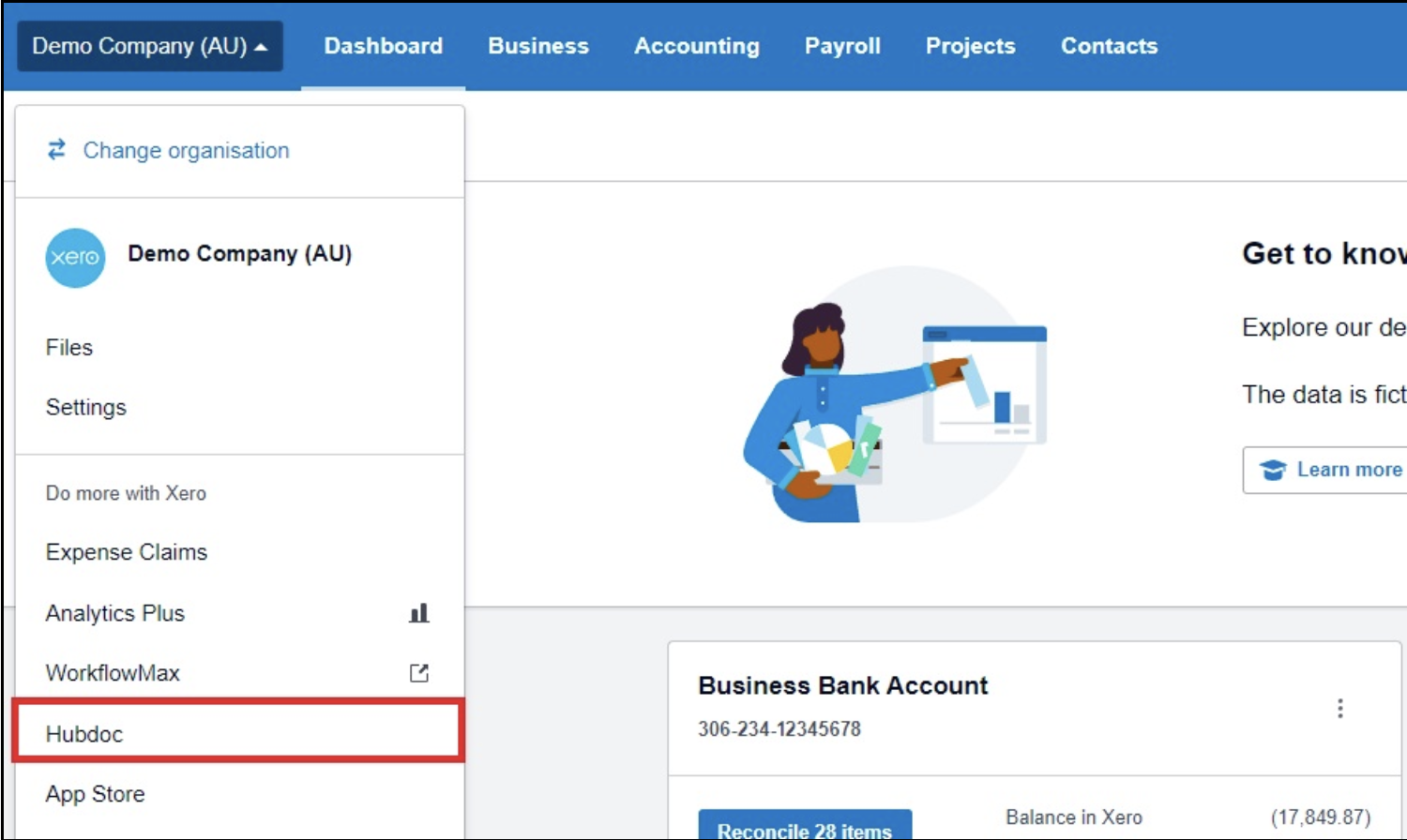
Hubdoc is where most people should start, because it's already included in every Xero business plan at no extra cost. Hubdoc captures bills and receipts from your phone, email, or scanner, extracts the supplier name, date, and total, and publishes it to Xero as a draft transaction with the original document attached. It's straightforward, reliable, and significantly reduces manual data entry. The surprising thing is how many Xero users don't realise they already have access to it.
Dext (formerly Receipt Bank) is the step up for businesses with higher volumes. Its OCR engine is more powerful, handling bulk uploads and messy handwritten receipts with strong accuracy. Dext also pulls data from bank feeds and e-commerce platforms like Shopify and Stripe, automating ecommerce data transfers into your accounting platform. Business plans start at around $34 per month (AUD, excluding GST), making it a worthwhile investment for trades, hospitality, and service businesses that process dozens of receipts weekly. Dext is often preferred for high-volume trades due to its data extraction capabilities and automated data entry across accounts payable and multiple sources.
Invoicing and Accounts Receivable
Late-paying invoices are among the biggest cash flow killers for small- to medium-sized businesses. The right Xero integrations in this category don't just make it easier to send invoices; they make it easier to get paid.
GoCardless automates direct debit collections from Xero invoices, creating workflows that eliminate the need to chase payments each month. For businesses with recurring clients or subscription-style billing, this is a significant time saver. GoCardless pulls funds automatically on the due date, integrates directly with Xero, and is well-suited to professional services firms, SaaS businesses, and any service-based business with a regular client base.
Stripe is the go-to option for businesses that want to accept online payments directly through Xero invoices. Customers can pay by card (including Apple Pay) with a single click, and the payment syncs straight back to Xero for seamless reconciliation. Xero's own data shows that invoices sent with a payment link and via SMS are settled significantly faster than those sent by email alone, with a meaningful impact on cash flow for Australian businesses. Stripe also handles secure one-off payments for project-based or ad hoc work.
Chaser takes a different approach. Rather than processing payments, it automates the follow-up. Chaser sends polite, personalised payment reminders on your behalf, with a tone that feels human rather than automated. For businesses that find invoice chasing awkward or time-consuming, it's a practical way to reduce debtor days without damaging client relationships.
Job and Project Management
This is one of the most-searched categories among the small business owners we work with, particularly those in trades, construction, and home service businesses. When job management, time tracking, and invoicing are spread across disconnected systems, it slows everything down and creates gaps where revenue slips through.
ServiceM8 handles quoting, scheduling, job tracking, and invoicing from a mobile device, then syncs completed jobs directly to Xero. It's purpose-built for field service businesses like electricians, plumbers, and cleaners. It's one of the most practical Xero add-ons available for contractors, tradespeople, and home service businesses who spend most of their day on-site rather than behind a desk. The integration with Xero is direct, and job monitoring through to invoice is handled in a single workflow.

Deputy is Xero's recommended workforce management partner in Australia, following the retirement of Planday in September 2024. If you've come across articles still recommending Planday, they're out of date. Deputy handles rosters, timesheets, and award interpretation for Australian businesses, with built-in tax compliance for STP reporting through Xero Payroll. Xero invested US$25 million in Deputy as part of a strategic partnership, and the integration between the two platforms is being embedded more deeply over time. For any business managing shift workers or hourly employees, Deputy simplifies how your finance team operates around time, attendance, and scheduling.
Tradify suits small trade businesses wanting job quoting, scheduling, and invoicing in one place without enterprise-level complexity. It's designed specifically for tradies and contractors who need accurate job costing and project tracking without a steep learning curve. Where ServiceM8 excels for field service, Tradify is often the better fit for businesses that also want tighter quoting workflows.
Inventory Management
Xero's native inventory management software works well for simple product lists, but businesses with serious stock control needs will outgrow it quickly. Rather than duplicate coverage here, we've written a dedicated guide on Xero inventory management that covers the native features, their limitations, and the best inventory management software options by business type.
Reporting and Financial Forecasting
Standard Xero reports cover the essentials, but if you want to go beyond the basics and make smarter financial decisions, the right reporting tools can transform how you view your business finances and support smarter financial decisions across your operation.
Analytics powered by Syft is now part of the Xero ecosystem following Xero's acquisition of Syft Analytics in late 2024. Depending on your Xero plan, you may already have access to Syft-powered analytics, including visual dashboards, cash flow forecasting up to 180 days, and AI-driven insights. For businesses on higher-tier plans, the advanced features include industry benchmarks, custom KPI tracking, and performance analysis. If you're working closely with your bookkeeper on strategic reporting, this is where the financial data gets genuinely useful. Syft was previously a standalone paid add-on, so the fact that it's now integrated into Xero plans represents real added value. Reports can be exported to PDF, Excel, or Google Sheets for easy sharing.
Futrli (owned by Sage) remains a popular choice for businesses that want dedicated three-way forecasting with scenario planning. It's particularly useful for modelling specific decisions, such as hiring, equipment purchases, or cash flow under different revenue scenarios. Futrli connects directly with Xero and suits businesses and finance teams that need more depth than Xero's built-in analytics provide.
Spotlight Reporting is widely used by bookkeepers and accountants to produce client-ready reports and cash flow forecasts with accurate reporting across multiple data points. It's especially strong for presenting financial data in a polished, visual format for board meetings, bank applications, or advisory sessions. These are the kinds of tools our team uses when working with clients on strategic reporting through our Virtual CFO service.
Time Tracking
Many Australian businesses don't need a standalone time tracking tool. Xero Projects, included in Ultimate plans, covers the basics for tracking time against jobs and projects in Xero. Businesses on Ignite, Grow, or Comprehensive plans would need to upgrade to Ultimate to access it.
For more complex needs, particularly for professional services firms billing across multiple clients by task, Harvest integrates seamlessly with Xero and provides detailed time-tracking, reporting, and invoicing capabilities. It suits consultancies, agencies, and accounting firms where accurate time data flows directly into Xero invoices and feeds accurate reporting on profitability.
CRM Integration
Connecting your sales pipeline to your financial data isn't essential for every business, but for larger SMEs or businesses with a dedicated sales function, it can bridge the gap between sales and finance teams.
HubSpot for Xero syncs contact and deal data between the two platforms, giving sales and finance teams visibility across the full customer lifecycle.
Breadwinner for Salesforce serves a similar purpose for businesses already in the Salesforce ecosystem, by directly bridging sales data from Salesforce into Xero.
These integrations are most relevant for medium-sized businesses or growing SMEs where disconnected systems slow down reporting and create friction between departments. For most small businesses, Xero's native contact management will be sufficient.
Xero App Store vs. Direct Integrations
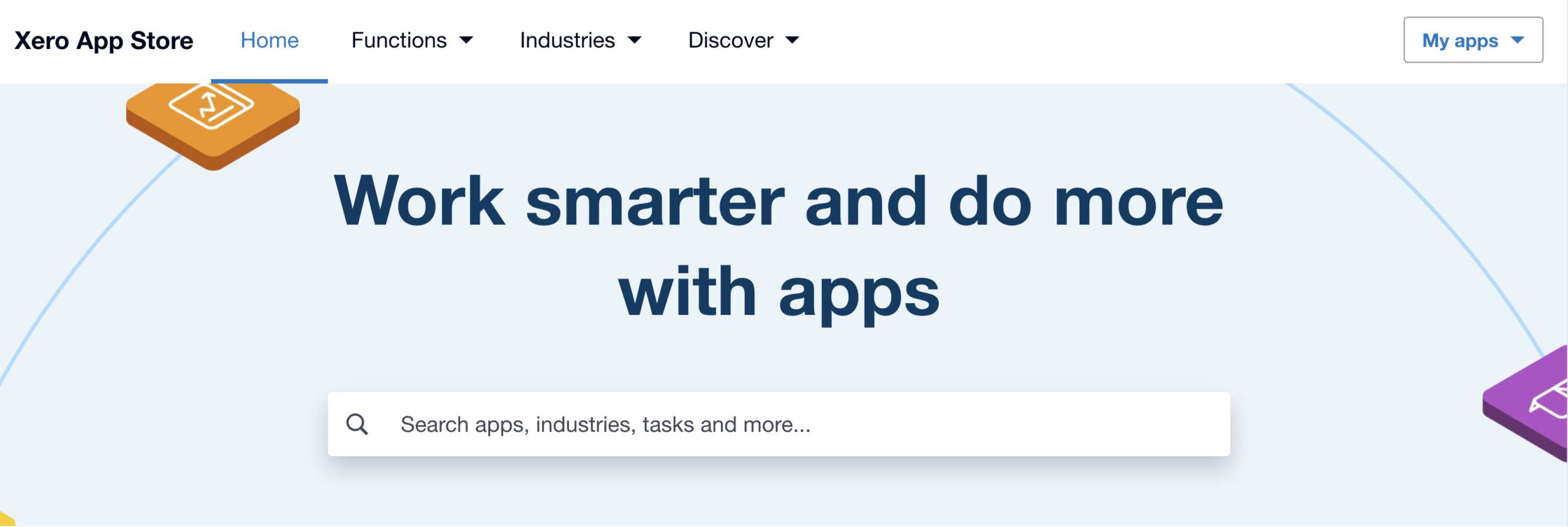
Not every integration on the market is listed in the Xero App Store. Some connect via API directly, and while they may work well, App Store-listed tools have been reviewed by Xero for compatibility and are generally more reliable in terms of ongoing support and updates. Where possible, we recommend sticking to Xero add-ons listed on the App Store.
That said, there are legitimate reasons to use direct API integrations, particularly for niche or industry-specific tools. A Xero advisor can help you evaluate whether a specific integration is worth the investment and whether the right Xero integrations can genuinely solve the common business challenges your business actually faces, rather than just adding another subscription to the pile.
How to Choose the Right Xero Add-Ons for Your Business
With so many options, it's tempting to start with the most popular app. But the smarter approach is to start with your biggest admin pain point.
What's the one task that eats up the most time, creates the most errors, or frustrates you the most? That's your business's priorities, and that's where to invest first.
From there, consider the total cost of your software stack. Your Xero subscription plus two or three add-ons can add up quickly, so it's worth mapping out what you're spending against what you're saving in time and accuracy.
Most Xero add-ons offer free trials, so test before you commit. And if you're unsure, ask your bookkeeper. A good Xero advisor will have hands-on experience with which tools deliver the best results for your industry, helping businesses simplify operations rather than adding unnecessary complexity.
Let Us Help You Get More From Xero
As Platinum Xero Partners and Certified Advisors with experience across a wide range of industries, we help clients choose and set up the right Xero integrations. Not just the accounting software itself, but the automated workflows that make it all work together. Whether you need help selecting the right add-ons, migrating from outdated tools, or getting your accounting software set up right from the start, our team is here to help.
If you'd like to talk through which Xero add-ons make sense for your business, get in touch with our team or call us today.

"*" indicates required fields